# Custom plugins
{% hint style="success" %}
You can achieve any ability you want through custom plugins.
{% endhint %}
## Usage
The capabilities and quantity of plug-ins determine the capabilities of the AI security assistant. We will build in enough commonly used capability plug-ins as soon as possible, but it is difficult to cover all aspects. You can let the AI master more skills through custom plug-ins.
For example:
* Implement custom functions through plug-in code
* Use plug-ins to call your product or service API
## Plugin type
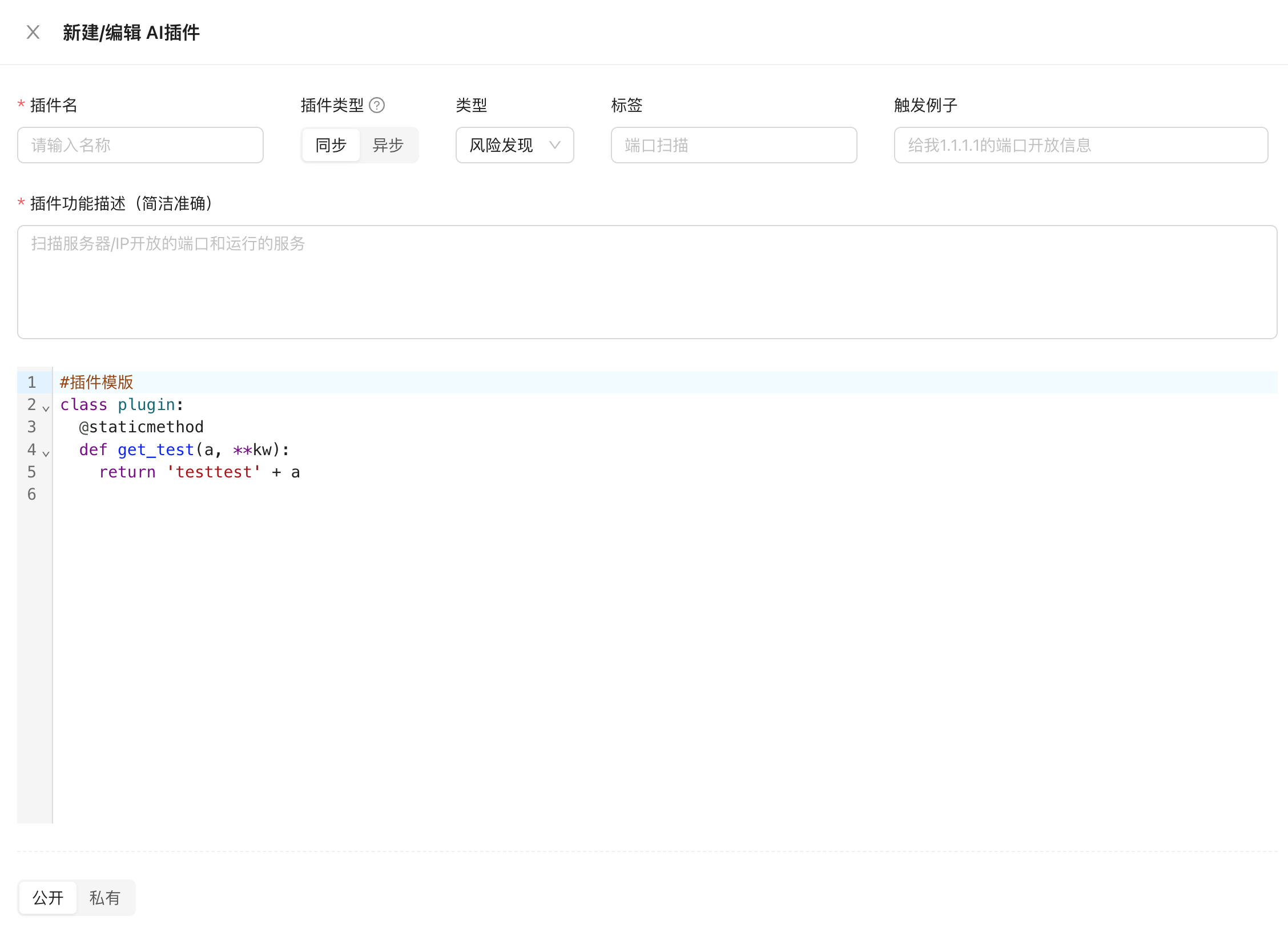
Cloud plug-in (recommended): Runs on the cloud, with higher performance, bandwidth, and concurrency. For example, it can quickly detect whether 50 targets have SQL injection vulnerabilities, and you don't have to pay any fees.
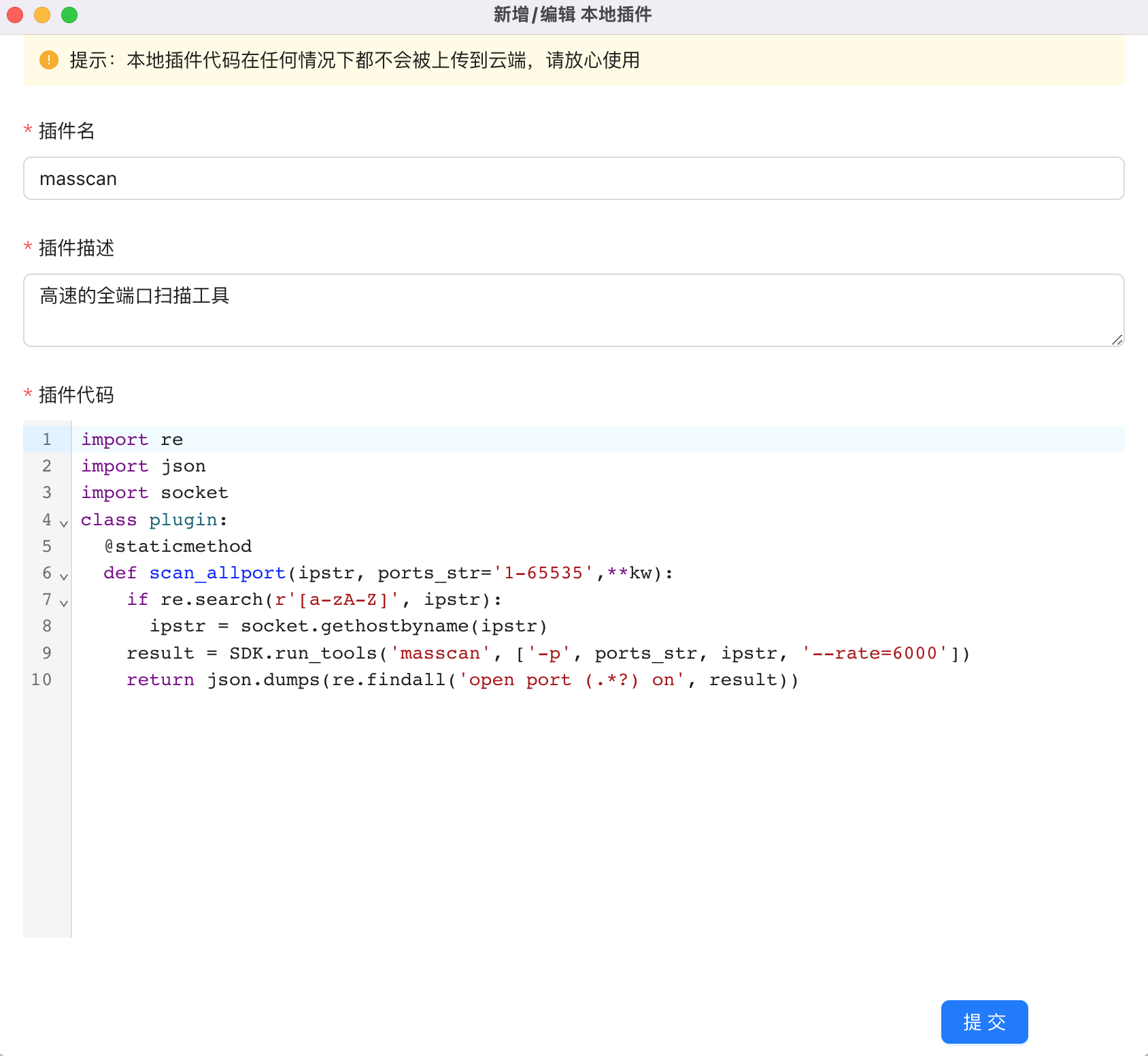
Local plug-in: Provided by the client, running on the user's current computer, the performance is affected by the computer configuration and network speed, but the code and running process are all local, and the local area network can be accessed, meeting different scenarios (such as accessing internal products, code There is more sensitive authentication information in ).
## Environment configuration
All custom plug-ins will only run in your own running space, ensuring that your plug-in code is not leaked.
### Initialization
The first time you add a plug-in, the running space initialization will pop up. Click Initialize and wait for 1 minute.
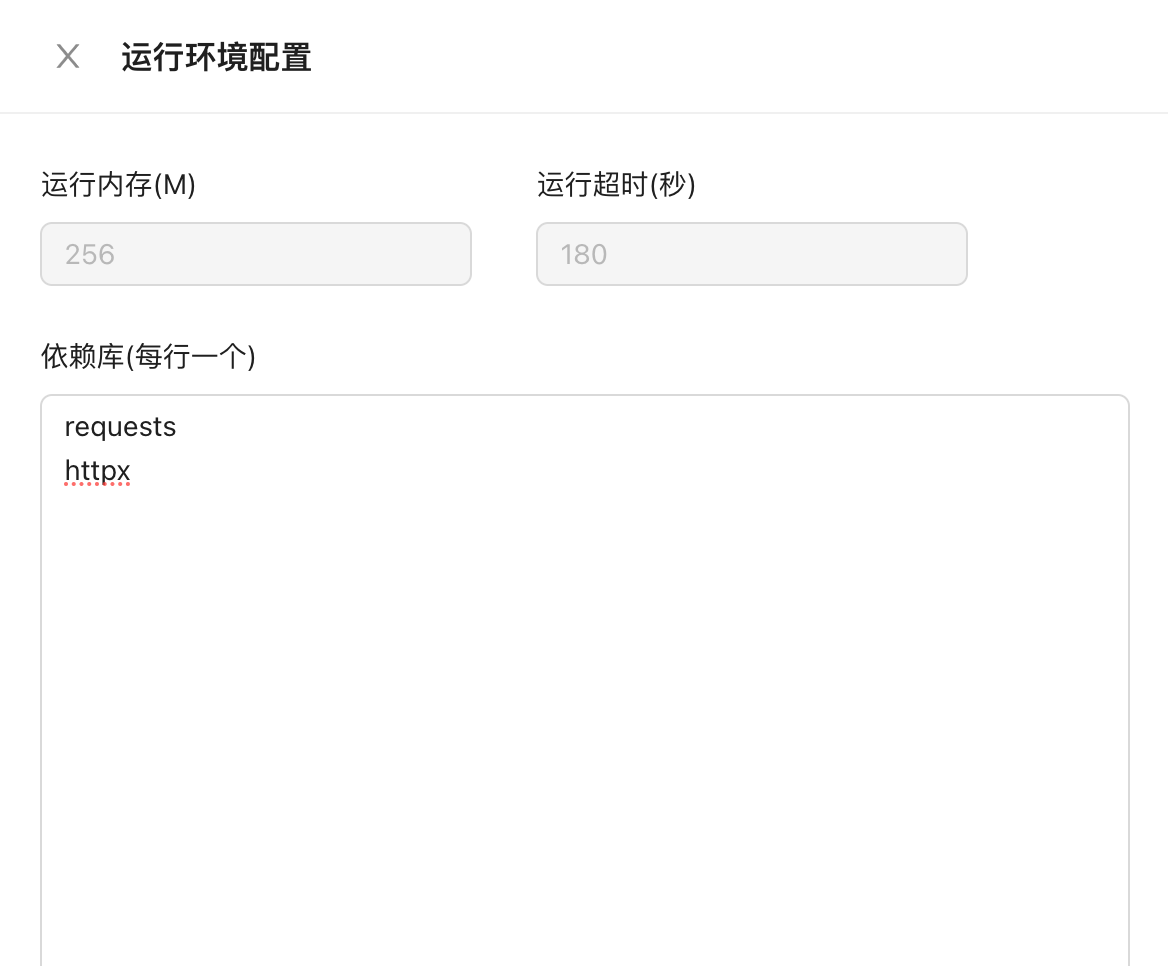
### Third-party dependency package configuration
Third-party libraries are often used in the development of plug-ins. This function can be used for installation, and each modification takes about 1 minute.
## Plugin permissions
Cloud plug-ins can be selected as public or private. When private is selected, only the AI of your current account can use it. When public is selected, everyone can use it, but your plug-in code cannot be seen in any case.
Local plug-ins will only be stored and take effect locally, and no one (including us) can view your plug-in source code.
## Plug-in specification
### Code structure
The plug-in is written in Python code, the format is as follows:
```python
import re
import json
import socket
#class plugin不可更改
class plugin:
#Functions used by AI assistants need to be defined as static functions using @staticmethod
@staticmethod
def scan_allport(ipstr, ports_str='1-65535',**kw):
if re.search(r'[a-zA-Z]', ipstr):
ipstr = socket.gethostbyname(ipstr)
result = SDK.run_tools('masscan', ['-p', ports_str, ipstr, '--rate=6000'])
return json.dumps(re.findall('open port (.*?) on', result))
```
In addition to the two specifications in the above note, there are no other requirements for the plug-in format, and it can be written freely.
### Advanced usage
By default, the plug-in returns a string. You can customize the return format of the plug-in to achieve a more customized effect.
#### Return table
```python
return {"__table": [{'domain': 'test.secasst.com', 'ip': '1.1.1.1'},
{'domain': 'test.secasst.com', 'ip': '1.1.1.1'}]}
```
#### Return original content
If you do not want AI to interpret the results and expect to directly display the plug-in results in the dialog box, you can use this method
```python
return {"__native": "AI安全助手测试 secasst.com"}
```
#### Return file
When the result of the plug-in is too long, exceeds the Token limit of the model, or is expected to be displayed in the dialog box through a file.
```python
if len(result) >= 8000:
return {"__file": result}
return result
```
#### Return picture
Display pictures in dialog
```python
return {"__img": "Base64 encoded data of the image"}
```
#### Return native content without passing it to the cloud (client-specific)
When the data returned by the local plug-in is relatively sensitive, using this format will not interact with the cloud, but at the same time it will lose context.
```python
return {"__local": "敏感内容"}
```
#### Return table without passing it to the cloud (client-specific)
Display in the dialog box in table format. When the data returned by the local plug-in is relatively sensitive, using this format will not interact with the cloud, but at the same time it will lose context.
```python
return {"__local_table": [{'domain': 'test.secasst.com', 'ip': '1.1.1.1'},
{'domain': 'test.secasst.com', 'ip': '1.1.1.1'}]}
```
#### Recommended action
After the plug-in is executed, the next step is recommended. It can take effect at the same time as all display format instructions
```python
return {"result": "端口扫描结果", "__action": ["指纹识别以上web服务",
"使用masscan进行全端口扫描"]}
```
## Plug-in debugging
There is only a simple verification debugging method. It is recommended to complete the test locally before adding it to the system. You need to add the plug-in to your custom role before it can be triggered.
### Trigger test
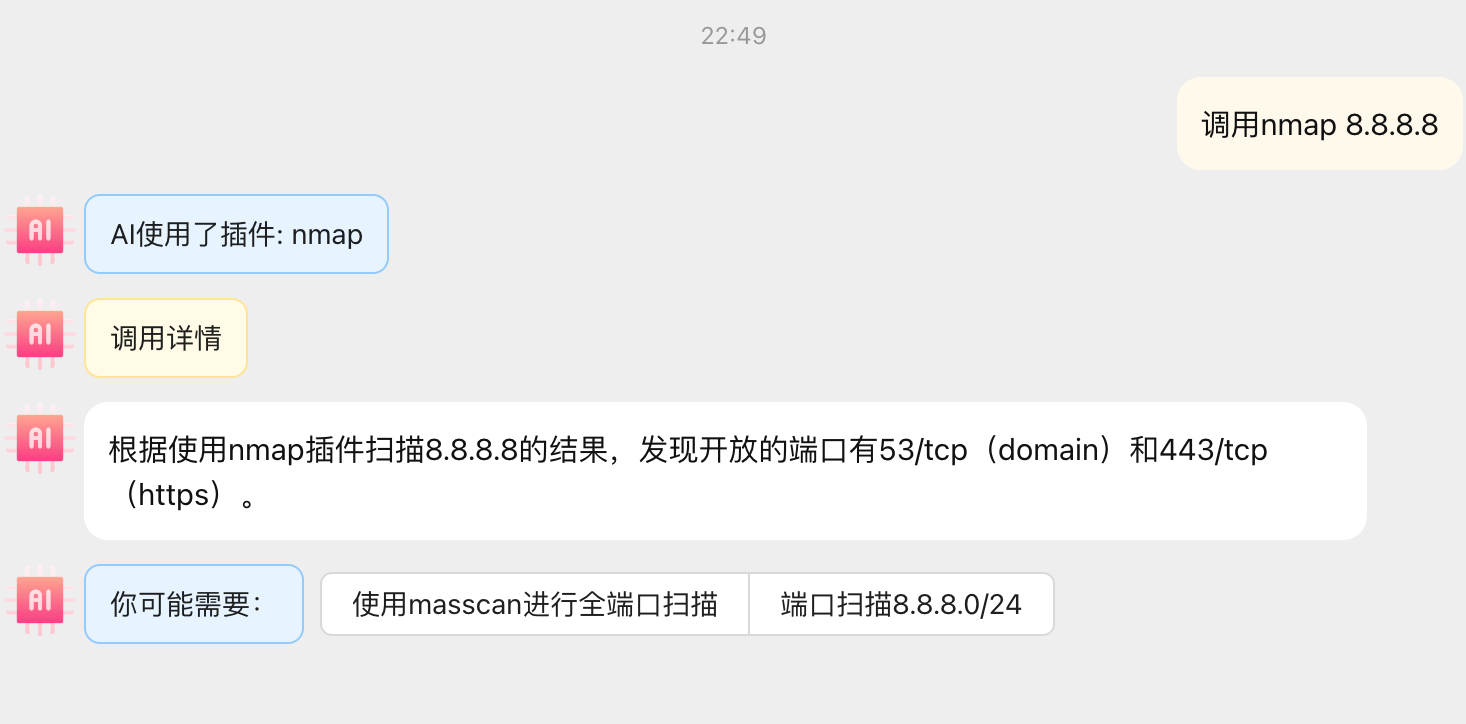
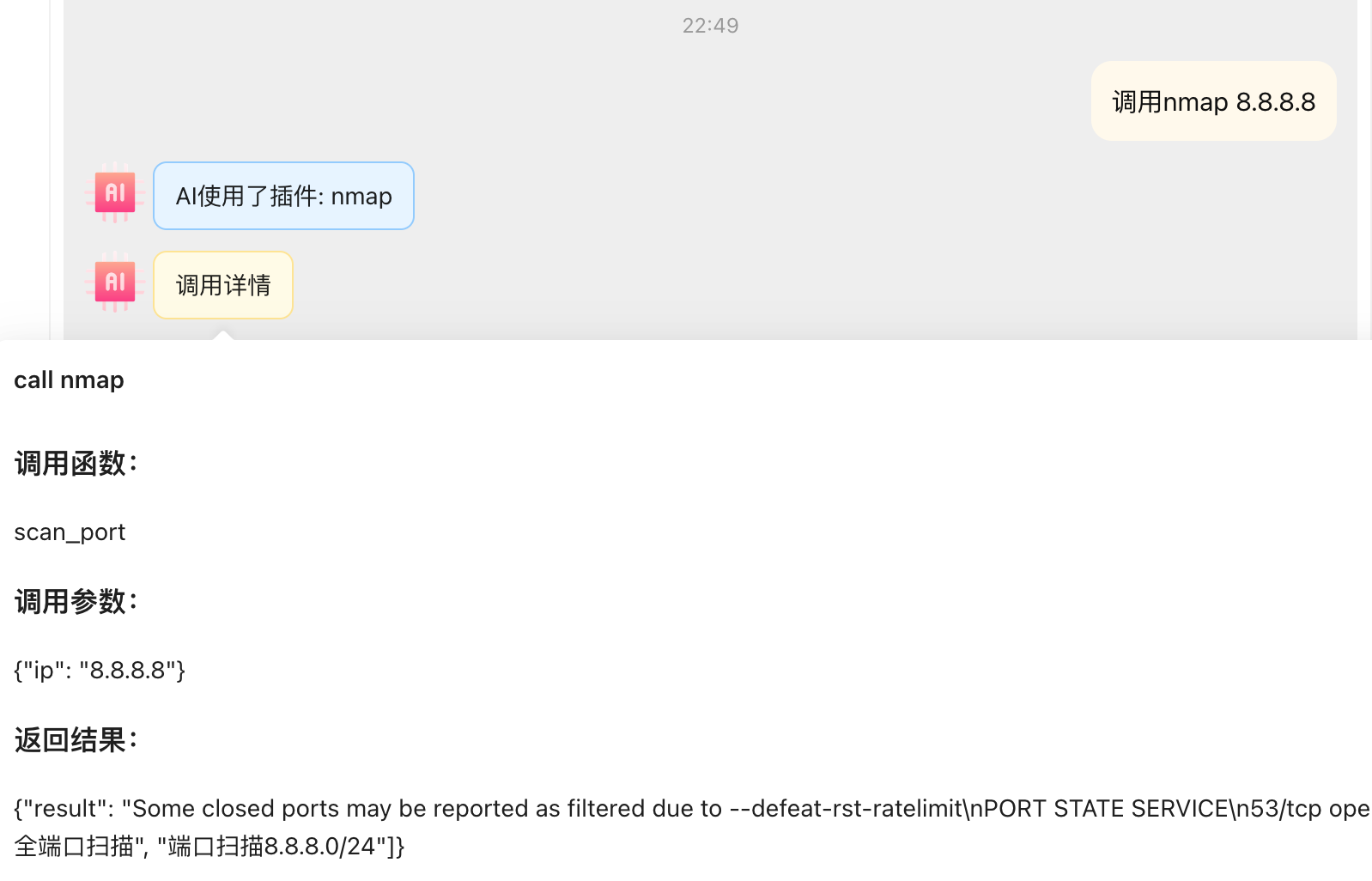
Send Call plug-in name parameters, as shown in the figure
### Plug-in call details
Self-added plug-ins will have additional Call details information, which can be used to determine whether the input parameters and return results meet expectations.